
The fastest way to write guitar tabs is to open a tab editor or a composition workspace with tab input, choose tab grid or MIDI entry, name your file, and lay down the skeleton of the riff before adding technique symbols. Save early. Export to PDF for reading, MIDI for playback, and TXT or JSON if you want to reopen and edit the project later.
TL;DR:
- Choosing a tab editor that offers multiple input methods like tab grid, MIDI import, and staff-sync significantly enhances long-term usability.
- Building a skeleton first and layering in technique symbols later is the most effective workflow for creating accurate and playable tabs.
- Pairing tabs with rhythmic cues or standard notation helps mitigate timing issues and improves readability for performers.
- Saving and exporting projects regularly in formats like PDF, MIDI, and project files prevents data loss and facilitates sharing.
- For original compositions, use tools like The DeputIE to combine melody sketching, MIDI export, and tab creation in a single workspace.
Table of Contents
- What Modern Tab Editors Actually Do Well
- How Do You Write a Playable Tab from Scratch?
- Why Tabs Struggle With Rhythm (and How to Fix It)
- Export, Backup, and Sharing Without Losing Work
- What's Legal When You Write and Publish Guitar Tabs?
- How The DeputIE Fits Into a Tab Workflow
- A Publisher's Take on Speed Versus Polish
- Try The DeputIE for Your Next Composition
- Sources
- FAQ
What Modern Tab Editors Actually Do Well
Most guitarists picking their first tab editor waste time comparing logos instead of comparing input methods, which is the thing that actually determines whether you'll enjoy using the tool six months from now.
A solid tab editor gives you more than one way to get notes onto the page. Tab-grid entry lets you click or type fret numbers directly onto six lines, which is fastest for riffs you already know by ear. Staff-sync entry shows standard notation above the tab so rhythm stays visible while you work. Some editors also accept MIDI import, letting you play a phrase on a keyboard or plug in a guitar and have the software rough out the tab for you.
Beyond entry, here's what separates a usable editor from a frustrating one:
- Technique symbol support: bends, slides, hammer-ons, pull-offs, harmonics, and palm mutes rendered clearly, not buried in a menu
- Alternate tuning presets: drop D, DADGAD, open G, and custom tunings without manual recalculation
- Playback with tempo control: slow-down features that let you check your own transcription against the original
- Multi-track support: rhythm and lead guitar, bass, and drums on separate staves for full arrangements
- Export flexibility: PDF for printing, MIDI for DAWs, and project files for reopening later
- Organization tools: folders, tags, or notebooks so a growing tab library doesn't turn into chaos
Browser-based editors have gotten good enough that you often don't need to install anything at all. Tools like Guitar Tab Maker run entirely online and still cover multi-track editing, tuning presets, and export to MIDI and PDF, while sites such as Guitar Scribble pack in the full set of technique symbols alongside printable output. Neither requires you to touch a download button.
How Do You Write a Playable Tab from Scratch?
Writing a tab that actually holds up when someone else tries to play it comes down to sequencing your work correctly, not typing faster.
- Set up the project. Name the file something searchable ("Verse Riff Drop D v1"), pick your tuning, set the time signature, and note the capo position if you're using one.
- Capture the skeleton first. Enter the main notes or chords using tab-grid or MIDI input. Don't stop to add bends or slides yet. Get the bones down while the idea is fresh.
- Refine on a second pass. Go back and layer in technique symbols, section labels (Verse, Chorus, Bridge), and any tempo notes you'll need later.
- Verify with playback. Loop the tricky sections and slow the tempo down until you can confirm every note reads correctly against what you hear in your head or on the recording.
- Export a backup before you close the session. Even an unfinished tab should leave the editor as a saved file, not just an open browser tab.
This skeleton-first method mirrors what music educators generally recommend for transcription work: notate the main melodic or harmonic structure first, then add articulations, rather than trying to nail every bend and slide on the first pass. Rushing both steps at once is the single biggest reason people abandon a tab halfway through.
If you're transcribing a riff you already know by ear instead of writing an original part, the process works even better. Reverse-engineering something familiar gives you an instant check on whether your tab matches reality, since your fingers already know the answer.
Pro Tip: Keep a two-pass rule as a habit, not a suggestion. The moment you catch yourself stopping mid-idea to pick the perfect slide symbol, that's your cue to skip it and come back later. Momentum matters more than precision on the first draft.
Why Tabs Struggle With Rhythm (and How to Fix It)
Tablature has a structural weakness that no editor fully solves on its own: it shows you where to put your fingers but says almost nothing about timing. That gap between "correct notes" and "correct rhythm" is the most common reason a tab reads fine but sounds wrong when someone actually plays it.

Experts who write about tab notation call this the rhythm gap, and the fix is consistent across sources: pair your tab with something that carries timing information. That usually means syncing tab with standard notation, attaching tempo markers, or embedding a MIDI or audio reference alongside the written tab.
A few habits close the gap without slowing you down:
- Build the skeleton first, then layer articulations, so you're not fighting rhythm and technique symbols at the same time
- Practice against a metronome at reduced speed before committing to a final version
- Loop short sections rather than replaying the whole piece every time you check your work
- Label sections clearly (Intro, Verse, Solo) so anyone reading the tab knows where they are without guessing
If you're sharing tabs with students or bandmates, readability matters as much as accuracy. Add short standard-notation excerpts or rhythmic cues like stems and slash marks in the trickiest passages, and attach an audio reference whenever you can. A tab with no rhythmic context forces every reader to guess, and guessing is where cover bands fall apart mid rehearsal.
Export, Backup, and Sharing Without Losing Work
Losing three hours of transcription to a cleared browser cache is one of the more avoidable heartbreaks in guitar. It happens because browser-only saves are volatile; closing the tab or clearing your cache can wipe work that was never actually saved anywhere permanent.
Build export into your workflow rather than treating it as a last step:
- PDF or PNG for anything you plan to print or send to someone who just needs to read it
- MIDI when you want to move the part into a DAW for arranging, mixing, or adding other instruments
- TXT or JSON as a re-importable project file you can reopen and keep editing later
- Cloud plus local backup, not one or the other, since either can fail on its own
For sharing, a public link works for quick feedback, a direct file attachment works for collaborators who want to edit, and embedding or printing works best for lessons and rehearsals. When you're revising a tab across multiple sessions, save incremental filenames (v1, v2, v3) instead of overwriting the same file. Keep one master project file plus a dated PDF snapshot each time you finish a meaningful revision, so reverting to an earlier version never means starting over.
What's Legal When You Write and Publish Guitar Tabs?
Tabs of your own compositions are yours to publish however you want. That part is simple. The complexity shows up once you're transcribing someone else's song.
Publishing tabs of copyrighted songs publicly can trigger licensing questions, since the underlying composition is protected even though the tab itself is your own transcription. Platform rules vary widely on this, so the safer approach for most guitarists is to focus public sharing on original work and treat cover transcriptions as personal practice material rather than something to distribute widely.
If you do want to share arrangements of other artists' songs, look for platforms that have licensing agreements in place, and always credit the original songwriter. Independent musicians navigating publishing and rights questions more broadly can find a useful breakdown of how licensing actually works for working artists in this explainer on pay-to-play and publishing.
How The DeputIE Fits Into a Tab Workflow
Writing a tab from a blank page is easy. Writing a tab for a part you haven't fully composed yet is the harder problem, and it's the one most tab editors don't touch.
Some composition software approaches writing tabs from the composition side rather than the transcription side, offering tools like a visual sequencer and chord progression features to work out melodic or harmonic ideas first, then carrying that idea into manuscript notation and guitar or bass tablature once the part is settled. Exporting MIDI allows the sketch to move into a DAW or another notation tool if needed.
A practical sequence looks like this:
- Sketch the melody or riff idea in the visual sequencer
- Export MIDI to check how it sits against a beat or a chord bed
- Finalize the part in tab notation once the idea is locked
- Export the finished tab as PDF for reading or MIDI for further production work
For the exact setup steps, tuning options, and export settings, the DeputIE user manual walks through each workspace in detail.
A Publisher's Take on Speed Versus Polish
Most tabs die in the "almost done" stage because the writer tries to make every bend and slide perfect before the basic structure is even solid. That's backwards. Get the skeleton down, confirm it against playback, and only then go back for the technique symbols and section labels. A rough but complete tab beats a polished but half finished one every time, because you can always refine a finished draft. You can't refine something that never got saved.
If you're composing the part rather than transcribing it, that same two-pass habit applies even earlier, back at the melody stage. Worth testing the workflow yourself and checking the manual for the specifics that apply to your setup.
— Vigilantie
Try The DeputIE for Your Next Composition
If the article above solved your immediate tab-writing problem, The DeputIE solves the one that usually comes before it: getting from a blank screen to an actual musical idea worth tabbing out. Instead of a generic notation grid, you get a visual sequencer, chord progression tools, and music theory panels built for producers, songwriters, and composers who want structure without losing creative control over the part.
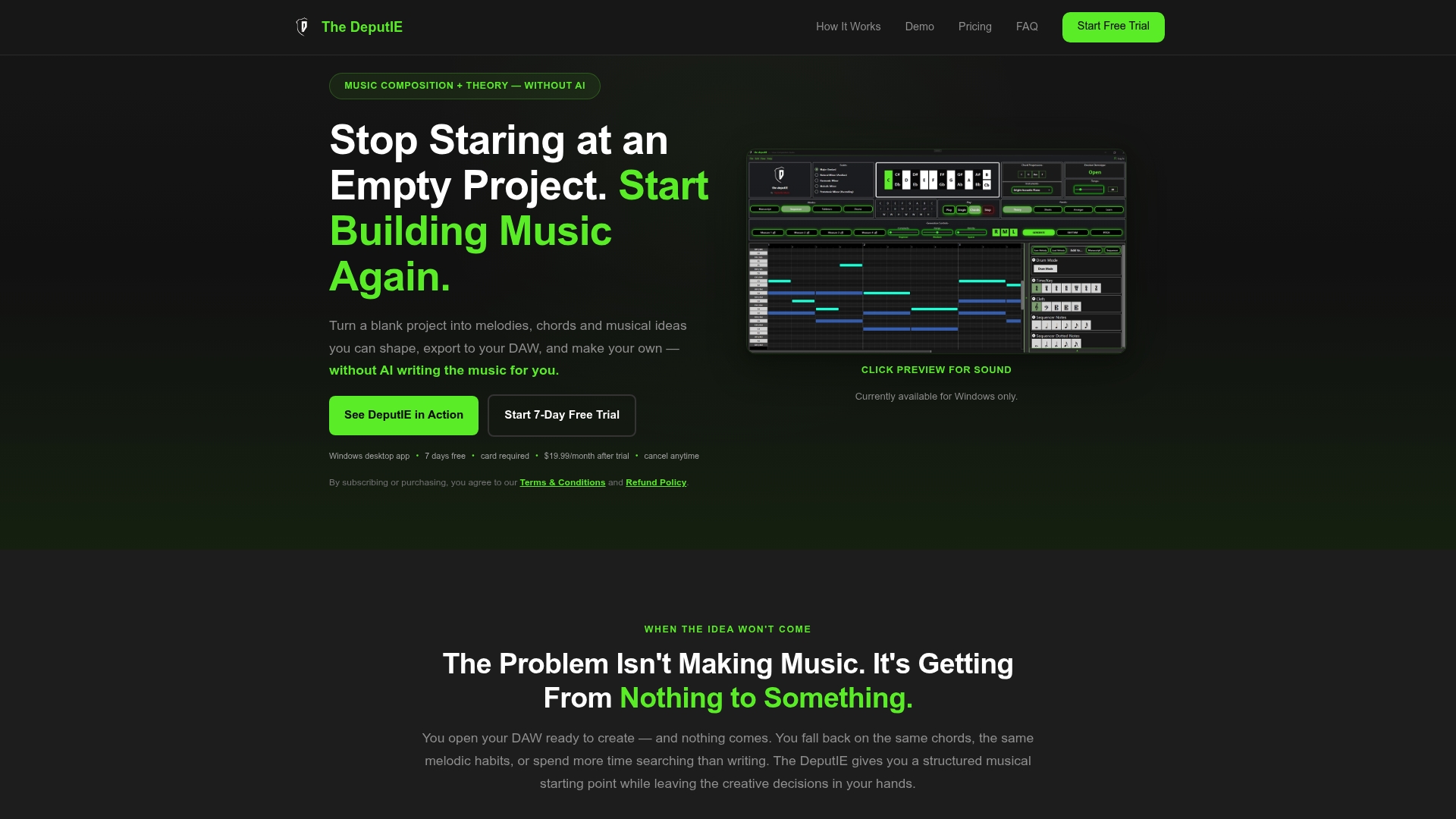
Once a melody or riff feels right, export it as MIDI and bring it straight into your DAW, or push it into manuscript and tab notation to finish the write-up. That combination, composing and tabbing in one workspace, is what most standalone tab editors can't offer, since they start from notation instead of from the idea itself. If you write original riffs regularly and want one tool that carries an idea from first sketch to finished tab, start a free trial on the DeputIE product page and work through your next riff there instead of switching between three separate apps.
Sources
- Guitar Tab Maker – Free Online Guitar Tablature Editor & Creator | Guitar Tool Hub
- Guitar Scribble — Free Guitar Tab Maker & Creator Online
- How to Read (and Write) Guitar TAB — A 5-Minute Beginner's Guide
- How to read tabs (Fender)
FAQ
Can ChatGPT Write Guitar Tabs?
ChatGPT can produce basic ASCII-style tab text, but it isn't a reliable transcription tool and frequently gets note placement, rhythm, and technique symbols wrong. Dedicated tab editors with actual notation logic remain the more accurate choice for anything you plan to share or perform from.
Is There an App to Write Guitar Tabs?
Yes. Free tools exist as browser-based editors, iOS and Android apps, and desktop software, so the right pick depends on whether you need quick on-the-go capture or deeper notation and arranging features. Composition tools like The DeputIE cover the notation and arranging side, including tab and MIDI export, for guitarists who want more than a quick sketch.
Is It Legal to Create Guitar Tabs?
Writing tabs for your own compositions is entirely legal and yours to publish. Publicly distributing tabs of copyrighted songs can raise licensing questions, so it's safer to keep cover transcriptions private or share them only on platforms with licensing agreements in place.
Where Can I Write Tabs for Free?
Browser-based editors such as Guitar Tab Maker and Guitar Scribble let you write, edit, and export tabs at no cost, with support for technique symbols, alternate tunings, and PDF or MIDI export. Both work without installing any software.