
To write bass tabs quickly, pick a browser tab editor or a plain text layout, set up a four-line staff labeled E-A-D-G, and capture rhythm with a short reference recording or click track. Enter fret numbers left to right under the string they belong to, then export as PDF for players or MIDI for production. The rest of this guide covers the tools, symbols, and export choices that make that workflow actually stick.
TL;DR:
- Browser-based editors offer quick, simple solutions for creating readable tabs and can convert recordings into initial drafts for easy refinement.
- Using notation apps is best when precise timing and printed scores are necessary, as they display standard notation alongside tab; DAW tools integrate bass lines into full arrangements.
- Making strategic fingering choices that favor tone and comfort, such as open strings and the 3-fret rule, improves playability and helps avoid awkward stretches.
- Including a clear legend, measure numbers, and consistent symbols significantly enhances a tab's clarity and ease of use for others.
- Export formats should match the recipient’s needs; PDFs for players and MIDI for producers, with filenames that include version numbers to prevent editing confusion.
Table of Contents
- What's the Best Way to Write Bass Tabs?
- How Do You Write Bass Tabs Step by Step?
- What Do the Symbols in Bass Tab Notation Mean?
- What Makes a Bass Tab Actually Playable?
- How Should You Export and Share a Finished Tab?
- How Do You Write Tabs for Different Genres?
- What Mistakes Ruin an Otherwise Good Bass Tab?
- How Can Beginners Make Their Tabs Easier to Read?
- Why Playability Beats Perfect Detail
- Try The DeputIE for Composing Parts Before You Tab Them
- Sources
- FAQ
What's the Best Way to Write Bass Tabs?
Your choice of tool depends entirely on what you're trying to do with the finished tab. A browser editor is the fastest path when you just need something readable to hand off or post online. Free browser-based tab makers let you type frets into a pre-built staff, and some can even convert a recorded audio clip into a rough first draft you clean up by ear.
Notation apps earn their keep when rhythm accuracy matters, since they print a standard staff alongside the tab and force you to commit to note durations instead of guessing. DAW and MIDI workflows are the right call for producers who need the bass line to live inside a full arrangement, not just on a page. Plain paper or a quick text file still wins for capturing an idea in the middle of a jam, before you've decided the part is even worth formalizing.
- Browser editors: fast setup, easy sharing, good for quick ideas and rough audio-to-tab drafts
- Notation apps: best when timing and printed scores matter, prints tab plus standard notation
- DAW + MIDI tools: ideal for producers who need the part inside a full mix
- Paper or plain text: fastest option for jotting a riff before you forget it
Match the tool to the goal. Practicing calls for something quick and disposable. Publishing calls for something clean enough to hand a stranger. Producing calls for something that exports.
How Do You Write Bass Tabs Step by Step?
Every tab, no matter how complex the part, comes together the same way.
- Set your tuning and staff. For a standard four-string bass, label the four lines E, A, D, and G from bottom to top. If you're working on 5 string bass tabs, add a fifth line, usually a low B below the E.
- Decide how you'll capture rhythm. A reference recording, a metronome click, or a rough notation sketch all work. Pick one before you start entering frets, or you'll end up guessing later.
- Map pitches to string and fret. Enter numbers left to right, placing each fret number directly on the string line where that note is played. Frets run from 0, meaning open string, up to the highest fret on your bass.
- Annotate technique as you go. Add hammer-ons, slides, or ghost notes right on the line where they happen, not as a separate note.
- Play it back, fix what's wrong, and export. Loop tricky measures, listen against your reference, and adjust fingerings until the timing and feel match what you heard.
Pro Tip: Tab your rhythm section in short four-bar chunks and loop each one before moving on. Catching a timing mistake in four bars takes ten seconds; catching it after tabbing the whole song takes ten minutes.
This process works whether you're transcribing someone else's bass line or documenting your own composition. The order matters more than the tool: staff first, rhythm plan second, pitches third, technique last.
What Do the Symbols in Bass Tab Notation Mean?
Standard notation struggles to show how a bassist actually plays a note, which is exactly why tab exists. It communicates feel and technique in ways sheet music can't easily capture, according to BassBuzz's tab reading guide. A handful of symbols cover almost every situation you'll run into:
- h — hammer-on (strike one fret, then sound the next fret higher with your fretting hand alone)
- p — pull-off (the reverse of a hammer-on, pulling off to a lower fret)
- / or ** — slide up or down between two frets
- b — bend the string to raise the pitch
- ~ — vibrato
- ( ) around a number — ghost note, played quietly and muted
Slap and pop technique usually gets marked with a small "S" or "P" above the note, though there's no universal standard. That inconsistency is exactly why authoritative notation references recommend spelling out your symbols in a short legend rather than assuming the reader shares your conventions.
For rhythm, either embed short timing marks above the tab line or add a tempo marker at the top. If timing is genuinely complex, print a small standard notation staff above the tab rather than trying to force it into fret numbers alone. Whatever symbols you use, put a one-line legend at the top of the page. It costs you ten seconds and saves the next player a headache.
What Makes a Bass Tab Actually Playable?
A technically accurate tab can still be miserable to play if you picked the wrong fingerings. The closest fret isn't always the right one. Experienced bassists choose fingerings for tone and feel just as often as for convenience, since a note played on an open string rings differently than the same pitch fretted higher up the neck, per BassBuzz.
- Favor open strings when they add sustain or a rounder tone, not just when they're easier
- Avoid stretches that force an awkward hand position two or three frets apart on adjacent strings
- Mark dynamics (loud, soft, accented) so the phrasing reads correctly on the page
- Test your fingering choices by actually playing the tab, not just reading it
The 3-fret rule is worth building into your transcription habits. It's a practical shortcut, not formal theory: walking up or down three frets toward a target note creates a natural build of tension and release, and it's also how you shift a scale shape between relative major and minor positions. Use it when a line needs to approach a chord change smoothly instead of jumping there.
Pro Tip: If a fingering feels wrong three times in a row during playback, it's not you. Change the fingering, not your technique.
How Should You Export and Share a Finished Tab?
The export format depends entirely on who's receiving the file; if you're working in a studio environment, consider using Amplis Fender Guitare | zenviewstudios Studio Enregistrement Résidentiel to track and review your bass tab recordings efficiently. Players who just need to learn a part want PDF or plain text: readable, printable, no software required. Producers and arrangers need MIDI, since it carries pitch and timing data straight into a DAW.
Before sharing anything, add a tempo marking, measure numbers, and your symbol legend. A tab without a legend forces every reader to guess what your slashes and parentheses mean.
- PDF or text: best for players, easiest to print and read on a phone
- MIDI: best for producers, imports directly into a DAW for quantizing and mixing
- Typical producer workflow: export MIDI from your composition tool, import to a DAW, adjust timing and velocity, then generate a printable tab from the cleaned-up part
Keep filenames boring and specific, something like "songname_bass_v3.pdf," and bump the version number every time you make a real change. It saves you from three people editing the wrong draft at once.
How Do You Write Tabs for Different Genres?
Funk-style bass leans on slap and pop technique constantly, so your tab needs clear "S" and "P" markers above nearly every other note, plus ghost notes in parentheses for the muted, percussive hits between main notes. A James Brown-style line will look busy on paper compared to the sound it actually produces, because so much of the groove comes from muted rhythmic filler rather than sustained pitches.
Reggae and dub basslines run the opposite direction: sparse, with long sustained notes and heavy reliance on open strings for tone. Your tab should have plenty of empty space, and the rhythm markings matter more than the pitches since the whole feel depends on exactly where each note lands relative to the beat.
Metal and hard rock basslines often double the guitar riff note for note, frequently in a lower register or with palm-muted notation if your legend supports it. These tabs tend to be dense with fast eighth or sixteenth note runs, so a tempo marker at the top isn't optional; without one, a fast riff is unreadable.
Jazz walking bass lines need chord symbols written above the tab staff, since the notes alone don't explain why the bassist chose that particular passing tone. This is one case where combining tab with a short chord chart, rather than tab alone, produces something another musician can actually learn from and improvise against.

What Mistakes Ruin an Otherwise Good Bass Tab?
The single most common mistake is skipping the legend. A slash might mean a slide to one transcriber and a hammer-on shorthand to another, and without a key, the reader has to guess.
Ignoring rhythm is the second big one. Fret numbers alone tell you what to play, not when, and a tab with no timing information forces every player to reverse-engineer the groove from memory or guesswork. Even a rough timing guide above the staff beats nothing.
Choosing fingerings purely by proximity, rather than tone, is a quieter mistake that still wrecks a tab's usefulness. A part that's technically correct but constantly forces awkward hand positions will get abandoned by anyone trying to actually learn it.
Overcomplicating the symbol set is another trap. Inventing five nonstandard markings for effects that only appear once in the whole song adds confusion for no real benefit. Stick to the handful of symbols covered earlier and lean on your legend for anything unusual.
Finally, skipping the playback check before sharing is how wrong notes and timing errors slip through. Loop the tricky sections, listen against a reference, and fix what's off before you hit export, not after someone messages you confused about measure 14.

How Can Beginners Make Their Tabs Easier to Read?
Readability comes down to spacing and consistency more than talent. Leave visible gaps between measures so the eye can find its place quickly, especially in faster passages where numbers cluster together.
Keep your symbol usage consistent from the first line to the last. If a hammer-on is marked with "h" in measure 2, it needs to stay "h" in measure 40, not switch to a different marking because you forgot your own convention.
Number your measures. It sounds minor, but it's the difference between telling a bandmate "check measure 16" and both of you scrolling through a wall of numbers trying to find the same spot.
Break long songs into labeled sections: verse, chorus, bridge. A tab that's just one continuous 80-measure block is exhausting to navigate, even if every note in it is correct.
Test your tab on someone who didn't write it. Handing a draft to another bassist before calling it finished catches ambiguity you can't see because you already know what you meant.
Why Playability Beats Perfect Detail
Chasing exhaustive notation for every nuance is a trap. Most players get more value from a loop-and-review pass with the band than from a tab dense enough to specify every micro-articulation. Rhythm feel and comfortable fingerings carry a part further than technical completeness ever will.
Share early drafts and let other musicians poke holes in them. That feedback loop improves a tab faster than solo polishing ever does.
— Vigilantie
Try The DeputIE for Composing Parts Before You Tab Them
Vigilantiemusic built The DeputIE around a problem tab editors don't solve: getting from a blank screen to an actual bass line worth writing down. Its visual sequencer and chord progression tools let you sketch a part quickly, and theory-guided suggestions point you toward musically sensible note choices without taking the decision out of your hands. That matters if you're composing from scratch rather than transcribing someone else's recording.
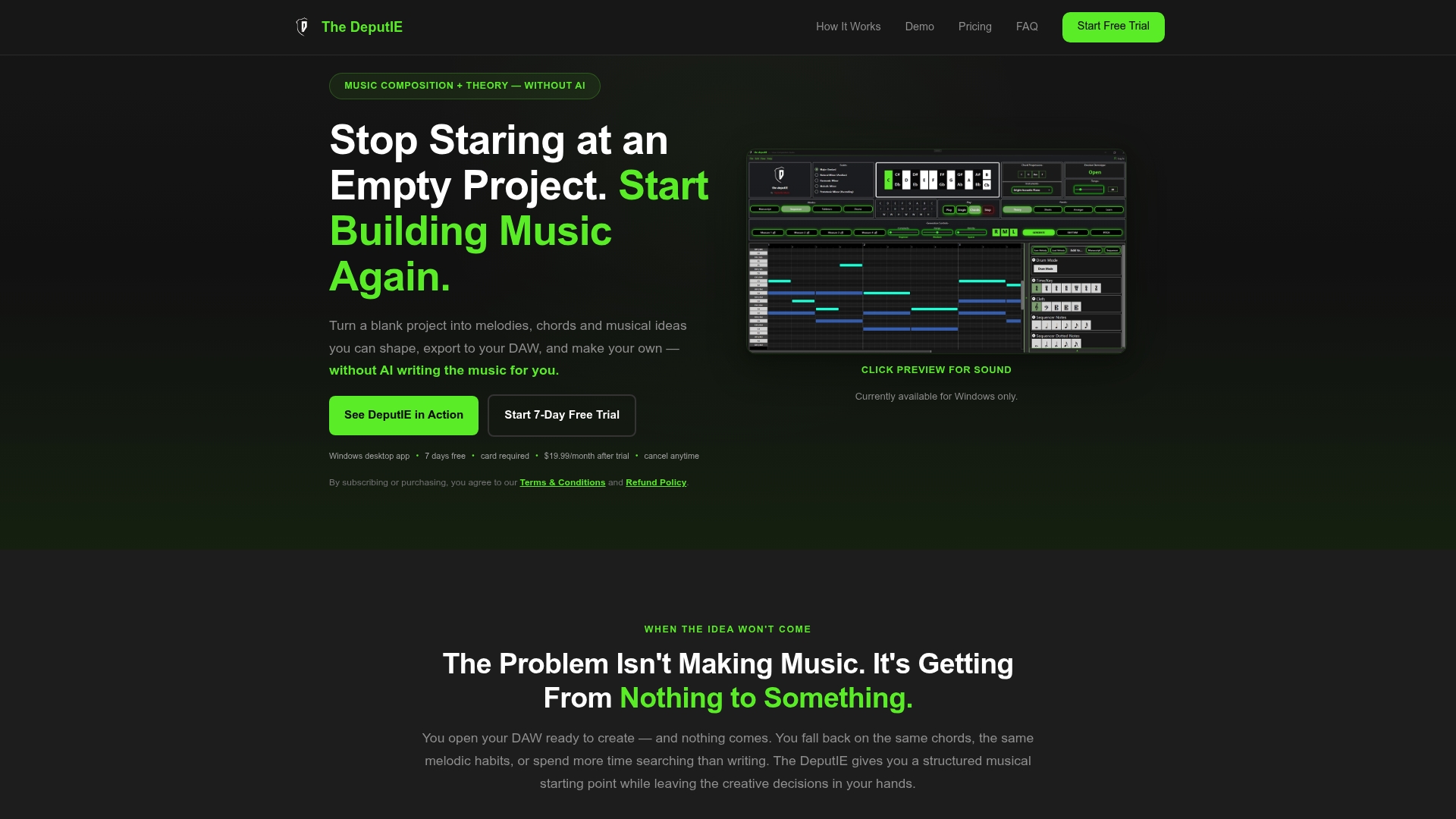
Once a line feels right, export it as MIDI and drop it straight into your DAW or a tab editor that can generate notation from a MIDI file, which shortens the whole path from idea to printed part. If you compose bass lines regularly and want fewer dead ends between the initial idea and a usable export, the DeputIE user manual walks through the workspaces in detail, and you can start a trial directly on the DeputIE product page for $19.99 per month or $129.99 per year.
Sources
- How to read bass tab | StudyBass
- How to read bass tabs | BassBuzz
- What is the 3 fret rule? | GuitarLines
- Bass notation legend | Hal Leonard
FAQ
How Do You Write Bass Tabs?
Set up a four-line staff labeled for your strings, decide how you'll track rhythm, then enter fret numbers left to right under the correct string as you work through the part. Add articulation symbols for slides, hammer-ons, and ghost notes as you go, following the conventions in standard bass tab notation.
What Is the 3-Fret Rule on Bass?
The 3-fret rule is a shortcut for approaching a target note smoothly by walking three frets up or down beforehand, creating tension that resolves naturally into the chord change. It's also used to shift scale shapes between relative major and minor positions, as explained by GuitarLines.
Is There a Free Tool for Creating Bass Tabs?
Yes, several browser-based tab makers let you build and export tabs at no cost, and some can turn a recorded audio clip into a rough starting draft. These work well for quick 4 string bass tabs or simple riffs, though you'll still want to clean up fingerings and rhythm by ear.
Can AI Create Bass Tabs?
Some tools can generate a rough tab from audio, but the results usually need manual correction for fingering choices, articulations, and feel. The DeputIE takes a different approach: it uses theory-guided suggestions to help you compose the bass line itself, then exports MIDI you can turn into tab through your DAW or a notation app.
What's the Difference Between 4 String and 5 String Bass Tabs?
Four string bass tabs use a staff with lines for E, A, D, and G, while five string bass tabs add a fifth line, typically a low B below the E. The extra string changes fingering choices and how you'd apply the 3-fret rule across a wider range, but the notation symbols stay identical.