
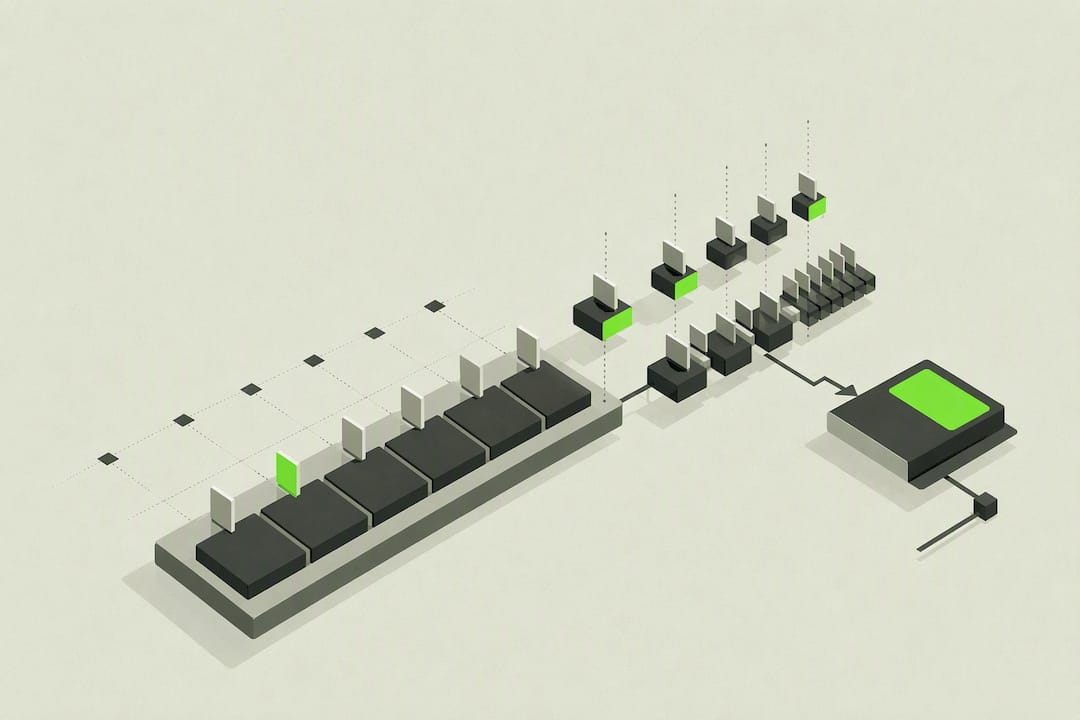
Draw a 1/16 backbone across the bar, add one roll right before the snare, nudge a few hits off the grid by a couple milliseconds, ramp the velocity, and high-pass the whole track. That single sequence is most of what separates a stiff, quantized hi-hat line from one that sits in a real trap groove. Everything else in this guide just fills in the details.
TL;DR:
- Program your trap hi-hat backbone on a 1/16 grid, leaving space around the snare for clarity, and add rolls selectively at the end of phrases.
- Use small timing offsets and velocity randomization to humanize the pattern, avoiding a robotic, perfectly quantized sound.
- Incorporate pitch automation and velocity ramps within rolls to create dynamic tension and a sense of motion in fills.
- Apply high-pass filtering above 300 to 500 Hz to keep low end consistent and prevent muddying the mix with low frequencies.
- Sketch patterns quickly in DeputIE or similar tools before importing into your DAW, to refine grooves and ideas efficiently without reprogramming.
Table of Contents
- Trap Hi-Hat Patterns: The Rhythmic Foundation
- How to Program Trap Hi-Hat Patterns Step by Step
- Humanizing Trap Hi-Hats So They Don't Sound Robotic
- Rolls, Triplets, and Pitch Tricks for Musical Hi-Hats
- Mixing Trap Hi-Hats Without Stepping on the 808
- A Quick Workflow Template for Building Hi-Hat Patterns Fast
- Sketch Hi-Hat Ideas in DeputIE Before You Touch the DAW
- Varying Hi-Hat Patterns Across Song Sections
- Signature Hi-Hat Motifs That Define the Trap Sound
- Locking Hi-Hats to the 808 and Kick
- Software and Plugins for Building Trap Hi-Hat Patterns
- Where Trap Hi-Hat Patterns Came From
- Why Restraint Beats More Rolls
- Sketch and Export Trap Hi-Hat Ideas with DeputIE
- Sources
- FAQ
Trap Hi-Hat Patterns: The Rhythmic Foundation
Trap runs on a half-time feel. The kick sits low in the bar, the snare or clap lands hard on beat 3, and the hi-hat is the instrument that fills the space around both. That snare placement is the anchor for almost every decision you make about hats. Standard trap notation lays hi-hats out on a 16-step grid, with closed hits filling the 16th subdivisions and rolls appearing as the genre's signature flourish.
A basic 16-step layout looks something like this:
- Closed hats on most or all of the 16th-note steps to build a steady pulse
- An open hat accent on the "and" of certain beats (commonly beat 2 or the last 16th of the bar) for lift
- A thinned-out or silent pocket right around the snare hit so it cuts through cleanly
- Occasional double-time bursts that break the pattern without fighting the kick
The reason this works isn't mysterious. Kick and snare occupy low and low-mid frequencies and carry the weight of the groove. Hats live up top, so they can run busier without cluttering the mix, but only if you leave room around the snare hit and don't bury vocal frequencies in constant 16th-note noise.
How to Program Trap Hi-Hat Patterns Step by Step
Open your piano roll and set the grid to 1/16 first. That's your spine, and it should go in before anything else. Once the backbone is locked, everything you add on top is decoration, not structure.
- Draw the 1/16 backbone. Fill in closed hats across most steps, leaving a gap or two near beat 3 so the snare has room to breathe.
- Switch grids for ornamentation. Change your snap setting to 1/32, 1/64, or a triplet grid (16T or 8T in most DAWs) only when you're adding a roll or fill, then switch back.
- Place rolls with intent. The most common spots are the end of an 8 or 16 bar phrase, the beat right before the snare hit, and the "and" of bar 4 heading into a new section.
- Control density. Some rolls per 8 bars is a reasonable ceiling. Production guides that focus on cleaner trap rolls consistently point out that velocity contrast matters more than adding extra notes, and a pattern stuffed with rolls just sounds busy, not exciting.
- Match roll speed to tempo. At 140 BPM, a 1/32 roll reads as a quick flutter; a 1/64 roll at that same tempo starts to sound like a buzz, so save it for short, one-beat bursts rather than long runs.
Reason's drum tutorials describe the same idea from a slightly different angle: switching the snap setting to a triplet grid opens up triplet accents and velocity ramps that a straight 16th grid can't produce on its own.
Humanizing Trap Hi-Hats So They Don't Sound Robotic
A perfectly quantized hi-hat line is the fastest way to make a trap beat sound like a demo. The fix isn't complicated, but it's easy to skip.
- Micro-timing: Nudge non-accent hits by roughly 10 to 20 milliseconds off the grid, in either direction, rather than leaving every hit locked to the exact 16th. Research on this exact problem found that small ms offsets and about 10% velocity randomization are enough to kill the machine-gun feel without loosening the groove.
- Velocity programming: Accented hits (downbeats, the start of a roll) should sit noticeably louder than the ghost notes and subdivisions around them. Add a touch of random variance so no two hits are identical, and build ramps, gradual increases or decreases, across rolls instead of flat velocity throughout.
- Sampler settings: Route your closed hats through a choke group so overlapping hits don't smear into each other, and shorten the sample's decay or tail before you reach for an EQ to fix murkiness. A tighter one-shot often solves a problem that an EQ move can only mask.
Pro Tip: Automate a slow velocity ramp across an 8-step roll, starting soft and building to a hard accent right on the snare hit. That single move does more for perceived energy than adding more notes to the roll ever will.
Rolls, Triplets, and Pitch Tricks for Musical Hi-Hats
Straight 16th, 32nd, or 64th bursts create a mechanical, rapid-fire feel that works well for tension before a drop. Triplet flurries, by contrast, give a looser, swung sensation that feels more like a fill a drummer would play by hand. Neither is "correct." The choice depends on whether you want the roll to feel aggressive and digital or loose and musical. Trap's defining rhythmic vocabulary leans on triplets, rolls, pitch shifts, and swing working together rather than any single technique carrying the pattern alone.
A few practical notes on execution:
- Build velocity ramps by starting a roll at a noticeably lower velocity than your backbone hits, then climbing steadily toward the final note, which should land at or above your loudest ghost hit.
- Reserve rising ramps for buildups into a snare or section change, and use falling ramps sparingly. Falling energy right before a big hit usually undercuts it.
- Pitch automation, sliding the sample's pitch up or down across the roll, adds a sense of motion that a flat pitch can't. A slight upward slide through the last few notes of a roll reads as rising tension; a downward slide reads as a release or a settle into the next phrase.
- Place pitch automation only on the roll itself, never on the steady backbone, or the whole pattern starts to feel unstable instead of just the fill.
Mixing Trap Hi-Hats Without Stepping on the 808
Hi-hats have no business carrying low end, and leaving it in is one of the more common ways producers muddy up an otherwise solid mix. Standard mixing guidance for programmed trap hats calls for a high-pass filter well above the kick and 808 range, clearing space so the low end stays defined and mono-compatible.
- High-pass first. Cut everything below roughly 300 to 500 Hz on your hats, adjusting by ear against the 808.
- Separate your rolls. Route rolls to their own bus apart from the steady backbone. That split lets you apply saturation or transient shaping to the flurries without changing how the anchor pattern sits.
- Add width carefully. Light micro-panning between alternating hits, a subtle Haas-style offset, or a short tempo-synced delay can add dimension. Mixing guides for this exact instrument stress keeping the low frequencies mono even as the top end spreads, since wide stereo hats with wandering low content tend to collapse or phase out on smaller speakers.
Treating rolls as a separate mix element, rather than baking them into the same channel as your backbone, is one of the more overlooked moves in trap production. It means you can push a roll's transient or brightness without dragging the rest of the pattern along with it.
A Quick Workflow Template for Building Hi-Hat Patterns Fast
You don't need an elaborate setup, just a repeatable one.
- Build your session lanes. One lane for the 1/16 backbone, a second for rolls, and a third for open-hat accents. Route rolls to their own bus from the start so step 6 above is already half done.
- Vet your samples before committing. Look for a short tail, a clean top end with no boxy low-mid buildup, and enough character to hold up layered. Curated hi-hat packs, like trap-focused sample collections, save time over digging through generic drum kits.
- Set the sampler to one-shot mode so hits don't bleed into each other, and layer a second, softer hat underneath your main sample for texture if the pattern feels thin.
- Export a MIDI template of your finished pattern once it feels right, so you can drop the same backbone and roll placement into future tracks and just swap samples.
FL Studio tends to be the fastest environment for detailed 1/32 and 1/64 roll editing, while Ableton Live's drum rack routing makes layering and bus assignment quicker to set up.
Sketch Hi-Hat Ideas in DeputIE Before You Touch the DAW
DeputIE's visual sequencer and drum composition workspace give you a place to sketch a hat pattern before committing it to a full session. Draw the backbone, apply timing and velocity adjustments right in that workspace, then export the pattern as MIDI and drop your final one-shots in once it's in your DAW. That order, ideas first, sample choice last, keeps you from re-programming the same pattern every time you want to try a new hat sound.
Varying Hi-Hat Patterns Across Song Sections
A pattern that stays identical from intro to outro is one of the fastest ways to make a beat feel flat, even if the pattern itself is well built. Trap arrangements typically shift hi-hat density and complexity by section, and that shift is doing real work.
Verses usually carry a leaner hat pattern, straight 16ths with minimal rolls, so there's room for vocals or a melodic hook to sit forward in the mix. The hats provide rhythm without competing for attention. Pre-choruses are where density starts to climb: more frequent open-hat accents, a roll or two building toward the hook, subtle upward pitch automation signaling that something bigger is coming.
Choruses or hooks often get the busiest, most aggressive hat treatment, longer rolls, harder velocity accents, sometimes even double-time sections where the hat pattern briefly doubles its note count. That's the payoff for the restraint shown in the verse.
Bridges and breakdowns are where a lot of producers get lazy, just muting the hats entirely or leaving them untouched. A better move is to strip the pattern down to something sparse and off-kilter, maybe just accented triplets with no steady 16th pulse underneath, so the section reads as genuinely different rather than just "quieter."
The simplest way to build this into your workflow: write your busiest, most complete hat pattern first for the chorus, then subtract elements for the verse rather than building up from nothing. It's faster, and it keeps the sections feeling like variations on one idea instead of three unrelated patterns stitched together.

Signature Hi-Hat Motifs That Define the Trap Sound
Certain hat moves show up so often across trap records that they've become genre shorthand. Recognizing them helps you use them on purpose instead of by accident.
The triplet flutter is probably the most recognizable: a quick three-note burst that breaks the straight 16th feel, usually dropped in right before a snare hit or at a phrase boundary. It creates a stumble that resolves the instant the snare lands.
The escalating roll builds from a slower subdivision into a fast 1/32 or 1/64 burst over one or two beats, almost always paired with a velocity ramp and often a rising pitch slide. This is the classic "here it comes" moment before a drop or chorus.
The stutter accent repeats a single hit two or three times at high velocity, usually landing off the beat, which reads as aggression rather than groove. It works best used sparingly, once per section at most, because its whole effect depends on surprise.
The half-time thin-out, dropping to sparse quarter or eighth-note hats during a hook or bridge, is less flashy but arguably more important. It's the move that keeps a track from feeling exhausting after two minutes of constant 16th-note motion. The genre's defining rhythmic ideas, triplets, rolls, pitch shifts, and swing, all show up inside these four motifs in some combination. Learning to combine two of them in a single pattern, a stutter accent that resolves into an escalating roll, for instance, is usually more interesting than either used alone.

Locking Hi-Hats to the 808 and Kick
Hi-hats don't operate in isolation. The whole point of a well-built pattern is how it sits against the 808 bass and kick, and getting that relationship wrong undoes good programming work fast.
Start with rhythmic space. The 808 typically carries long, sustained low-end tones that need room to ring out, so a hi-hat pattern that's too dense right on top of an 808 slide can turn the low end muddy just through masking, even before you touch an EQ. Thinning the hat pattern slightly wherever the 808 is sliding or sustaining, then filling back in once it resolves, keeps both elements audible.
Kick placement matters just as much. Where the kick doubles up or syncopates against the main pulse, hats often drop out entirely for a beat or land only on the off-beats, so the kick's rhythm reads clearly instead of getting buried under a wall of even 16ths. This is part of why high-pass filtering your hats matters beyond general mix cleanliness: keeping hats out of the same frequency territory as the kick and 808 is what lets all three elements occupy the low end, mid range, and top end without constant collision.
A useful check: mute everything except the kick, 808, and hi-hat, and listen to that trio alone. If the hats feel like they're fighting the kick's rhythm or blurring into the 808's low end, adjust density or filtering before you add snare, melody, or vocals back in. Fixing that relationship early saves a lot of remixing later.
Software and Plugins for Building Trap Hi-Hat Patterns
The DAW you use shapes how quickly you can execute the techniques above. FL Studio's piano roll makes fast work of detailed 1/32 and 1/64 roll editing, which is part of why it's a common choice for trap-leaning producers who build a lot of rolls by hand. Ableton Live's drum rack and bus routing make layering samples and splitting rolls onto a separate channel more straightforward, useful once you get into the mixing techniques covered earlier. Logic's step sequencer is well suited to clean, quick backbone programming when you want to lock in a pattern before adding ornamentation.
Beyond the DAW's native tools, curated sample packs remove a lot of guesswork from sound selection. Trap-specific hi-hat collections give you samples already trimmed for short tails and clean top end, which cuts down on the EQ work described in the mixing section.
For the composition stage, before you're deep in DAW-specific editing, a dedicated sketching tool changes the workflow order. Instead of building a pattern directly inside a crowded session, you rough it out somewhere simpler, refine the rhythm and dynamics, and only then bring it into your main project with final samples attached. That separation between idea and execution is worth building into your process regardless of which plugins or sample libraries you end up using.
Where Trap Hi-Hat Patterns Came From
Trap's rhythmic vocabulary didn't appear fully formed. It grew out of Southern hip hop production in the 2000s, where producers working with drum machines and early sequencer software started pushing hi-hat programming further than the boom-bap patterns that dominated the previous decade. Where earlier hip hop drum patterns often kept hats relatively simple, straight 8th or 16th notes with minimal variation, trap production pushed toward denser subdivisions and the rolls that would eventually become the genre's calling card.
The shift toward triplets and rapid rolls tracked closely with what drum machines and sequencers made easy to program. Once producers had precise step-sequencing and the ability to draw in 32nd and 64th-note patterns without playing them by hand, the technical ceiling on hat complexity effectively disappeared. That technical shift is part of why trap hats sound so different from earlier hip hop drum patterns: the tools changed what was fast and easy to build.
By the time trap moved from a regional sound into a dominant force across mainstream hip hop and pop production, the four core techniques, triplets, rolls, pitch shifts, and swing, had solidified into what most producers now think of as the standard trap hat vocabulary. What started as a regional production quirk became one of the most widely imitated drum programming styles in contemporary music, present in genres well outside trap's original hip hop context.
Why Restraint Beats More Rolls
Most producers over-roll. Once you've heard how good a well-placed 1/32 burst sounds, it's tempting to drop one every bar, and that instinct almost always backfires. A single roll placed exactly before the snare carries more weight than four scattered across the same phrase, because its impact depends on contrast with the steady backbone around it. Energy and clarity trade against each other constantly across an arrangement. Choruses can absorb density that would clutter a verse into mush. The producers who program hats well aren't the ones who know the most techniques. They're the ones who know when to leave the pattern alone.
— Vigilantie
Sketch and Export Trap Hi-Hat Ideas with DeputIE
Coming up with a fresh hi-hat idea at 1 AM shouldn't require opening a full DAW session and hunting through a sample folder first. DeputIE's visual sequencer and drum composition workspace let you rough out a pattern, backbone, rolls, accents, apply timing and velocity shaping right there, and lock in the rhythm before you've picked a single sample.
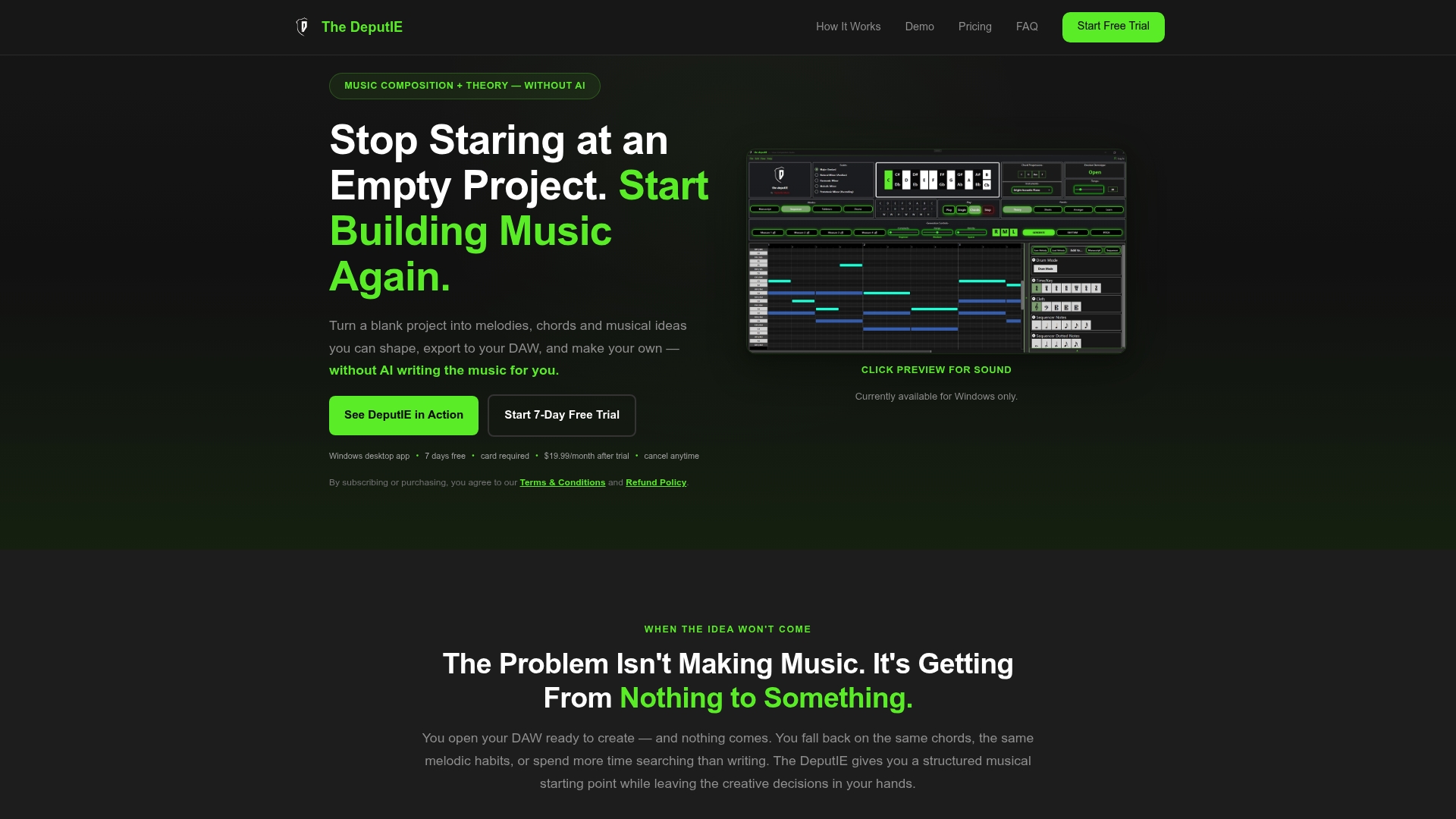
The workflow is simple: sketch the pattern, adjust the feel inside DeputIE's drum workspace, then export it as a standard MIDI file that drops straight into any DAW you already use. You keep creative control over the groove instead of handing pattern decisions to an algorithm, and you skip the part where a good idea gets lost while you're still building your session. DeputIE is available as a Monthly plan at $19.99 per month or an Annual plan at $129.99 per year, both starting with a free trial. If you want a walkthrough of the export process and workspace layout before diving in, the user manual covers it step by step. Start a trial and sketch your next hat pattern before you open your DAW.
Sources
- Trap Hats: 4 Hi-Hat Techniques Every Trap Producer Uses — LANDR Blog
- Trap Drum Pattern: Notation, Kit & Loop — NoteAtlas
- Why Your Hi-Hats Sound Robotic (And The 20ms Fix) — Ready for Masterclass
- Trap hats: 7 Rules For Cleaner Rolls | The Ghost Production
- How to Mix Hi-Hats (A Step-by-Step Guide) — AudioSpectra
FAQ
What Grid Should I Use for Trap Hi-Hat Patterns?
Start with a 1/16 grid for your main backbone, then switch to 1/32, 1/64, or a triplet grid only when programming rolls or fills. Standard trap notation is built around a 16-step grid with rolls layered on top as accents, not as the foundation.
How Many Hi-Hat Rolls Should a Trap Beat Have?
One to three rolls per 8 bars is a reasonable range for most trap beats. Production guidance on cleaner trap rolls emphasizes that velocity contrast matters more than roll frequency, so a sparse pattern with strong dynamics usually beats a busy one.
Why Do My Programmed Hi-Hats Sound Robotic?
Perfectly quantized timing and flat velocity are the usual culprits. Shifting non-accent hits by roughly 10 to 20 milliseconds and randomizing velocity by about 10% removes most of the mechanical feel without loosening the groove.
Do I Need to High-Pass My Hi-Hats?
Yes, hi-hats carry no useful low end, and leaving it in muddies the mix against your kick and 808. Standard mixing guidance for programmed trap hats recommends filtering out the low frequencies and keeping any stereo width mono-compatible in the low end.
Can Software Help Me Sketch Hi-Hat Patterns Before Using a DAW?
Yes. DeputIE's visual sequencer and drum workspace let you build and refine a hat pattern, timing, velocity, rolls, then export it as MIDI for use in any DAW. Plans start at $19.99 per month or $129.99 per year, both with a free trial to test the workflow first.